How to set up Ollama and use it with Claude Code
A practical, version-aware tutorial for installing Ollama, choosing a local model, connecting Claude Code through Ollama's Anthropic-compatible endpoint, testing the path safely, and troubleshooting the common failures.
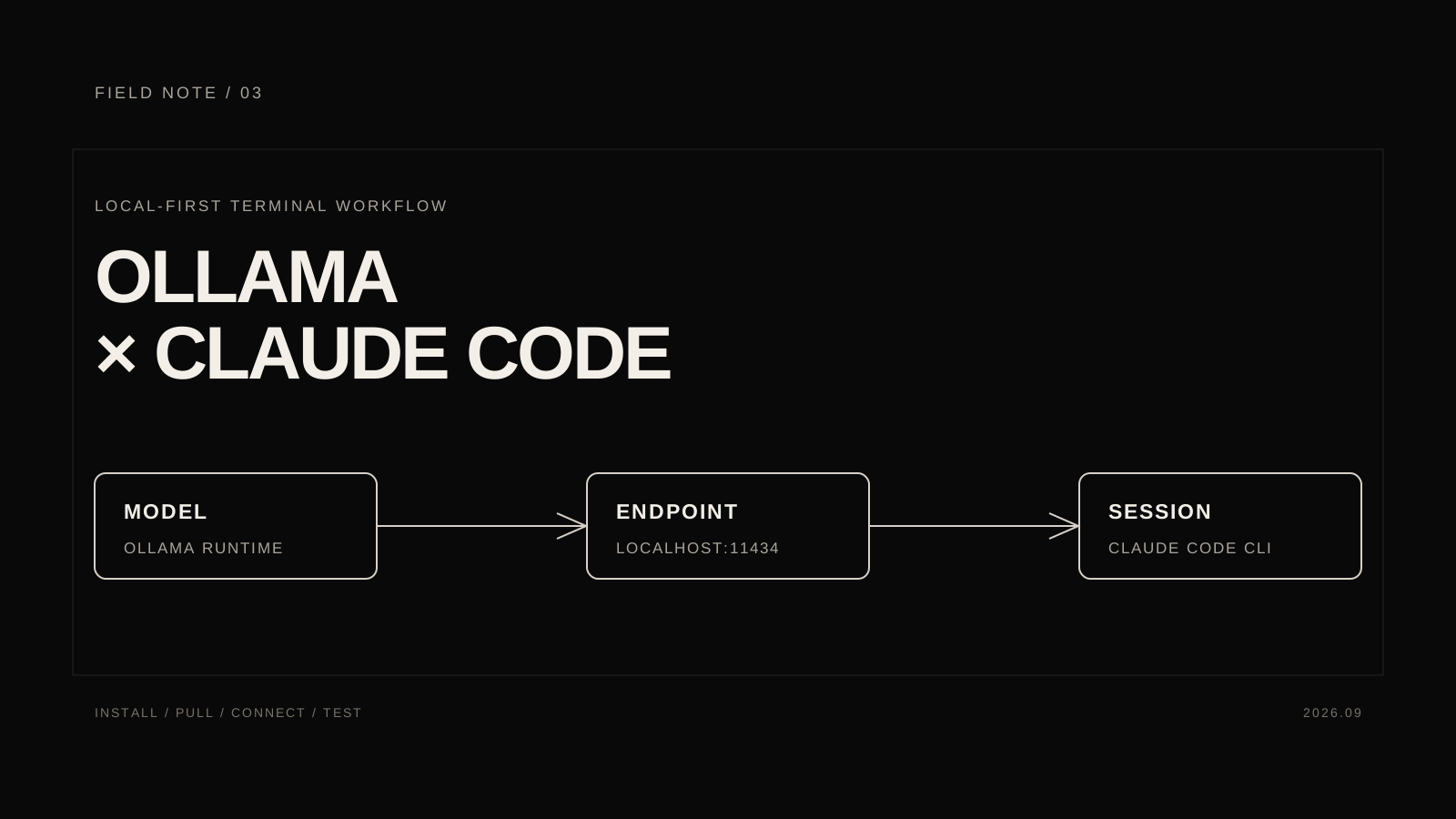
What this setup gives you
This setup puts Ollama behind Claude Code's normal coding interface. Ollama runs the model you select, Claude Code manages the project session and permissions, and Ollama's Anthropic-compatible endpoint connects the two. It does not turn a local Ollama model into Anthropic-hosted Claude.
I checked the current Ollama Anthropic compatibility documentation, Ollama launch guide, and Claude Code quickstart on September 12, 2026. Commands, model names, and supported features can change, so keep those pages open while following this guide.
Key takeaways
- ollama launch claude is the shortest current path when your Ollama release includes the launcher.
- The manual path uses ANTHROPIC_AUTH_TOKEN=ollama and ANTHROPIC_BASE_URL=http://localhost:11434.
- The local API is normally at http://localhost:11434. The /api/generate request tests Ollama itself; /v1/messages tests the compatibility layer Claude Code uses.
- A model with a :cloud tag is hosted by Ollama. It is not running entirely on the local machine.
- A successful connection proves the route works, not that every Claude Code feature has parity with an Anthropic-hosted session.
Before you install
You need a supported macOS, Windows, or Linux computer, a terminal, and a project that is safe to inspect. I recommend starting with a disposable repository or a clean branch. Use a read-only prompt first, and keep production credentials out of the test.
There are two separate privacy decisions:
- A model such as qwen3-coder is downloaded and run by Ollama on your computer, subject to your machine's logs and configuration.
- A model with a cloud tag, such as glm-4.7:cloud, sends the work to Ollama's hosted service. It may be easier to run, but it is not an offline setup.
Claude Code's normal hosted workflow may ask you to sign in. That authentication path is separate from the placeholder token used by Ollama's local compatibility endpoint. Do not assume that seeing a Claude login prompt proves that your local route is active.
For model sizing, leave room for the model weights, the context window, the operating system, and other applications. Ollama's current compatibility guide recommends coding models including glm-4.7, minimax-m2.1, and qwen3-coder. It notes that qwen3-coder is a 30B model that runs smoothly with at least 24 GB of VRAM, with more memory useful for longer context. Treat that as a planning note, not a guarantee for every device.
1. Install Ollama
macOS
Download the current app from ollama.com/download. The current download page requires macOS 14 Sonoma or newer. Open Ollama once after installation so its local service can start.
Windows
Download and run OllamaSetup.exe. Ollama's Windows documentation says the installer does not require administrator rights and exposes the local API at http://localhost:11434. The current documentation also lists Windows 10 22H2 or newer as the baseline.
Ollama stores its Windows configuration and logs under %LOCALAPPDATA%/Ollama; the model directory is under %HOMEPATH%/.ollama unless you configure OLLAMA_MODELS. Models can take tens or hundreds of gigabytes, so check the disk before pulling a large one. Do not move the installation or model directory until the basic setup works.
Linux
Follow the current Ollama Linux instructions. The maintained installer command is:
curl -fsSL https://ollama.com/install.sh | sh
If the service is not already running, start it in a separate terminal:
ollama serve
Verify the CLI from a new terminal:
ollama --version
ollama -v is also accepted by the current documentation. If the command is not found after installation, open a new terminal and check your PATH before reinstalling.
The Ollama app is also useful for seeing which model is loaded and for adjusting settings. This is a real screenshot from Ollama's official app article, stored locally with this post rather than hotlinked:
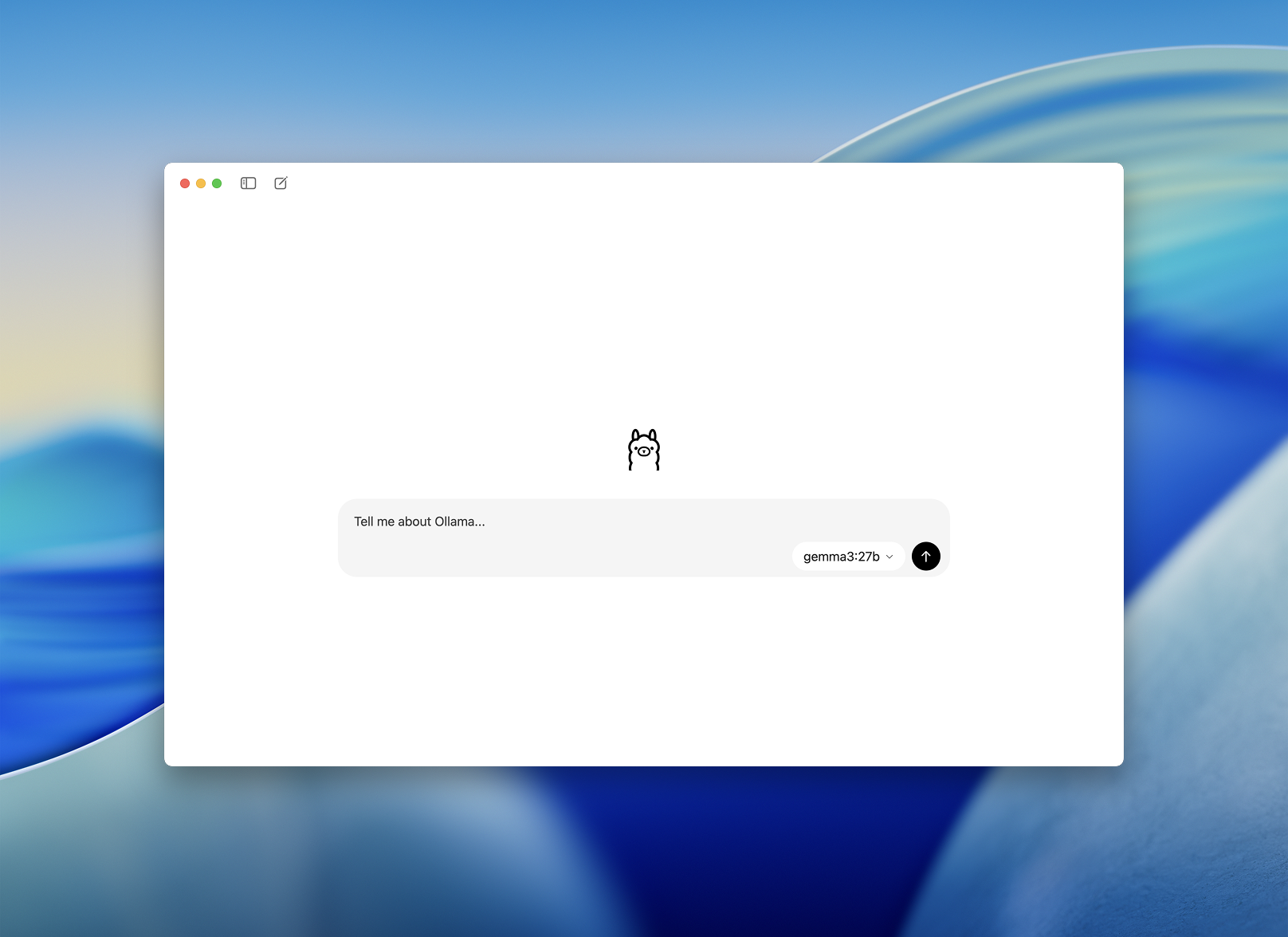
Source: Ollama's new app article.
2. Pull and test a model
Start with the coding model used in Ollama's current compatibility examples:
ollama pull qwen3-coder
Confirm the exact model identifier:
ollama list
Then open a direct Ollama chat:
ollama run qwen3-coder
At the prompt, enter:
Reply with exactly: Ollama is running.
Exit with /bye or Ctrl+C, depending on the interface you are using. If the model is still loading, the first response can take longer than later responses.
The model name is part of the connection. If you choose another model, copy its exact identifier from ollama list and reuse that identifier in the API tests and the Claude Code command. The current compatibility documentation also lists local options such as gpt-oss:20b and cloud options such as glm-4.7:cloud. A cloud suffix is a routing decision, not a performance setting: the work goes to Ollama's cloud service.
If you want broader model tradeoffs before selecting a hosted model, I keep the evidence and uncertainty separate in my GPT-6 vs Fable 5.1 comparison. That comparison is about different hosted model surfaces, while this tutorial is about the Ollama route and its compatibility boundary.
3. Test both API boundaries
Testing the APIs separately saves time. First prove that Ollama can serve the model. Then prove that the Anthropic-compatible endpoint can translate a Messages API request. Only after both work should you debug Claude Code.
Test Ollama directly
On macOS, Linux, or WSL:
curl http://localhost:11434/api/generate -d '{"model":"qwen3-coder","prompt":"Reply with exactly: API is running.","stream":false}'
On Windows PowerShell:
$body = @{ model = "qwen3-coder"; prompt = "Reply with exactly: API is running."; stream = $false } | ConvertTo-Json
(Invoke-WebRequest -Method Post -Uri http://localhost:11434/api/generate -Body $body -ContentType "application/json").Content
A JSON response with generated text confirms that the service is listening and that Ollama recognizes the model. It does not test the endpoint used by Claude Code.
Test the Anthropic-compatible endpoint
Ollama documents the following request shape for /v1/messages. On macOS, Linux, or WSL:
curl -X POST http://localhost:11434/v1/messages -H "Content-Type: application/json" -H "x-api-key: ollama" -H "anthropic-version: 2023-06-01" -d '{"model":"qwen3-coder","max_tokens":128,"messages":[{"role":"user","content":"Reply with exactly: Anthropic endpoint is running."}]}'
In PowerShell:
$headers = @{
  "Content-Type" = "application/json"
  "x-api-key" = "ollama"
  "anthropic-version" = "2023-06-01"
}
$body = @{
  model = "qwen3-coder"
  max_tokens = 128
  messages = @(
    @{
      role = "user"
      content = "Reply with exactly: Anthropic endpoint is running."
    }
  )
} | ConvertTo-Json -Depth 4
(Invoke-WebRequest -Method Post -Uri http://localhost:11434/v1/messages -Headers $headers -Body $body).Content
The x-api-key value is ollama because the compatibility layer requires an API key-shaped header. Ollama says that this value is required but ignored. The anthropic-version header is accepted but not used for compatibility behavior.
If /api/generate works and /v1/messages fails, the model runtime is healthy but the compatibility path is not. Check the Ollama version, the model identifier, the URL, and the request shape before changing Claude Code settings.
4. Set a sensible context length
A coding model needs memory for its weights, the active context, tool results, and the operating system. Ollama's app exposes a context-length setting. Ollama's launch guide recommends at least 64,000 tokens for coding tools, but that is a starting point for machines with enough memory, not a universal requirement.
Increase the context only when the machine can sustain it. If the process swaps, becomes unresponsive, or loses the useful beginning of a task, lower the context length or choose a smaller model. A larger context limit does not guarantee that the model will retrieve or reason over every part of a large repository equally well.
Here is the second official Ollama screenshot, also stored locally:
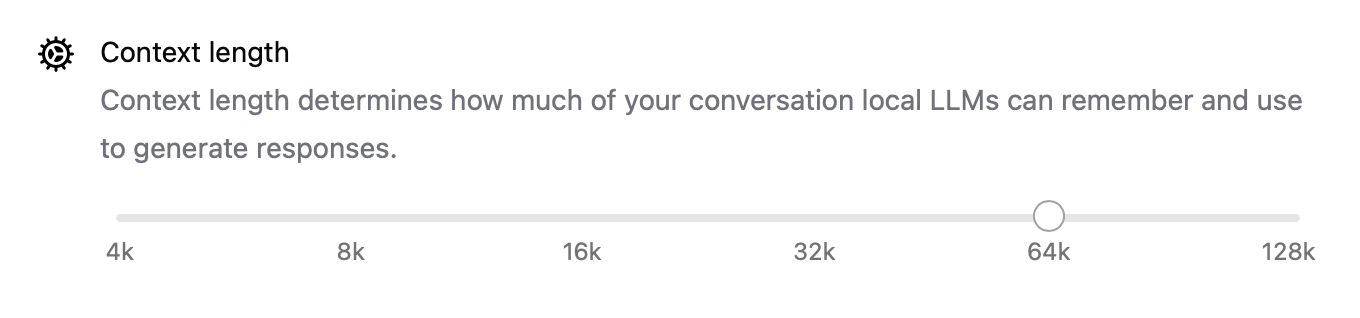
Source: Ollama's new app article.
5. Install Claude Code
Install Claude Code from its current official quickstart. On macOS, Linux, or WSL:
curl -fsSL https://claude.ai/install.sh | bash
On Windows PowerShell:
irm https://claude.ai/install.ps1 | iex
The same Claude Code quickstart lists Homebrew, WinGet, and the Windows CMD installer when those options fit your environment. Open a new terminal and verify the command:
claude --version
On native Windows, Claude Code recommends Git for Windows because Claude Code can use Unix-like tools. If Git for Windows is not installed, Claude Code can use PowerShell, but some project scripts and shell examples may behave differently. WSL does not need Git for Windows inside the WSL environment.
At this stage you have installed two independent CLIs. ollama --version checks Ollama, and claude --version checks Claude Code. Neither command proves that Claude Code is using Ollama yet.
6. Use Ollama's one-command launcher
The current Ollama launch guide says to use the launcher with Ollama v0.15 or newer:
ollama launch claude
The launcher sets up the connection and starts Claude Code. Depending on the current Ollama interface, it may ask you to choose a model or tool. Follow that selection step and choose the model you pulled, such as qwen3-coder.
To configure the connection without launching a session:
ollama launch claude --config
Use the launcher route first when it is available. If ollama launch claude is not recognized, update Ollama from the official download page or use the manual environment setup below. Do not add unverified flags to force a noninteractive session; the manual path gives you explicit control over the model, endpoint, and prompt.
7. Configure the connection manually
The manual route uses the same compatibility layer as the launcher. Set the variables in the same terminal that will start Claude Code.
macOS, Linux, or WSL
For a session-scoped setup:
export ANTHROPIC_AUTH_TOKEN=ollama
export ANTHROPIC_API_KEY=
export ANTHROPIC_BASE_URL=http://localhost:11434
claude --model qwen3-coder
For a one-off launch:
ANTHROPIC_AUTH_TOKEN=ollama ANTHROPIC_API_KEY= ANTHROPIC_BASE_URL=http://localhost:11434 claude --model qwen3-coder
Windows PowerShell
PowerShell environment variables apply to the current window:
$env:ANTHROPIC_AUTH_TOKEN = "ollama"
$env:ANTHROPIC_API_KEY = ""
$env:ANTHROPIC_BASE_URL = "http://localhost:11434"
claude --model qwen3-coder
Clearing ANTHROPIC_API_KEY is a practical guard against Claude Code choosing a different provider credential during this test. The ollama token is not a real Anthropic secret for this route; Ollama's compatibility layer requires the field and ignores its value.
Do not commit these variables to a project file. When the test is over, close the terminal or remove the session variables:
unset ANTHROPIC_AUTH_TOKEN ANTHROPIC_API_KEY ANTHROPIC_BASE_URL
In PowerShell:
Remove-Item Env:ANTHROPIC_AUTH_TOKEN,Env:ANTHROPIC_API_KEY,Env:ANTHROPIC_BASE_URL -ErrorAction SilentlyContinue
If Claude Code still uses a hosted provider, inspect the environment in the same terminal that launches it:
Get-ChildItem Env:ANTHROPIC*
A stale user-level or shell-level ANTHROPIC_API_KEY can make a local test look like it failed when the request never reached Ollama.
8. Test Claude Code safely
Start in a clean test repository. With the manual variables active, make the first request read-only:
Read package.json and summarize the available scripts. Do not edit files or run destructive commands.
You can launch an interactive session with claude, or use the documented one-off form:
claude -p "Read package.json and summarize the scripts. Do not edit files."
Check the route in layers:
- ollama list shows the model you intended to use.
- The direct /api/generate request returns a response.
- The /v1/messages request returns a Messages-style response.
- Claude Code can read the project and answer without switching to a hosted provider.
- The model identifies the right files and follows the read-only constraint.
Only after those checks should you try a write. Ask for one small documentation change in a disposable branch, review the diff, and run the project's existing formatter or tests. Claude Code's permission prompts still matter: a local model can propose a bad command just as a hosted model can, and a successful tool call does not prove that the chosen edit was correct.
The quality of this workflow depends on more than the network route. Smaller local models can be slower, less reliable with long instructions, or less capable with tool calling than the model you normally use. Keep the first test narrow enough that you can tell whether the problem is transport, compatibility, permissions, or model behavior.
9. Know what compatibility does and does not mean
Ollama's current Anthropic compatibility documentation lists support for messages, streaming, system prompts, multi-turn conversations, vision, tools or function calling, tool results, and thinking or extended thinking. That is enough to make a Claude Code experiment practical, but it is not a promise of identical behavior for every feature.
The same documentation lists important differences and unsupported surfaces:
- /v1/messages/count_tokens is not supported.
- Forcing a specific tool or disabling tools through tool_choice is not supported.
- Metadata, prompt-caching cache_control blocks, the batches API, citations content blocks, and PDF document blocks are not supported.
- Token counts are approximate.
- URL images are unsupported in the compatibility layer, while base64 images are supported.
- Extended-thinking budgets are not enforced.
- Errors are returned as HTTP errors rather than server-sent error events.
The API key-shaped value is accepted but ignored, and the anthropic-version header is accepted but not used. This is why a request can look authenticated without having Anthropic account semantics. Claude Code features that depend on an unsupported field may fail or behave differently through Ollama even when a simple prompt works.
Common issues
Connection refused at port 11434
Start the Ollama app, or run ollama serve in a separate terminal. Confirm that the base URL is exactly http://localhost:11434 and that the process launching Claude Code can reach that address.
Model not found
Run ollama list and copy the identifier exactly. Pull it with ollama pull , then use the same identifier in the direct API request and in claude --model . A tag such as :cloud is part of the identifier and changes where the model runs.
The first response is very slow or memory runs out
The model may be loading into RAM or VRAM, or the context length may be too high. Try a smaller model, lower the context, close other GPU-heavy applications, or use an Ollama cloud model if sending the work off-device is acceptable. The compatibility guide specifically calls out the memory demands of qwen3-coder 30B.
Claude Code uses the wrong provider
Set ANTHROPIC_AUTH_TOKEN, clear ANTHROPIC_API_KEY, and set ANTHROPIC_BASE_URL in the same terminal that starts Claude Code. In PowerShell, $env: values belong to the current window. In a shell, print the variables before starting the session if the route is unclear.
Ollama and Claude Code run in different environments
If Ollama runs on native Windows while Claude Code runs in WSL, test the base URL from the WSL shell that will launch claude. A URL that works in PowerShell is not useful if the WSL process cannot reach it. Resolve that boundary first, then set the provider variables inside the same environment.
The launcher is unavailable
ollama launch requires a current Ollama release. Update from the official download page, or use the manual environment setup. The manual path is not a separate backend; it still sends Claude Messages-shaped requests to Ollama's compatibility endpoint.
A Claude feature behaves differently
Check the compatibility list before changing prompts. Tool choice, metadata, caching, batches, citations, PDFs, token counting, image URLs, thinking budgets, and error events can all differ from an Anthropic-hosted session. A feature gap is not necessarily a model failure.
The installer completed but the command is missing
Open a new terminal and run ollama --version or claude --version. On Windows, check that the installed CLI directory is on PATH and review Ollama's logs under %LOCALAPPDATA%/Ollama if the app is running but the service is not reachable. On macOS or Linux, use the current official install troubleshooting page rather than copying an old PATH fix.
The local route works but the result is poor
That is a model or context problem, not necessarily a connection problem. Re-test with a small prompt, check the exact model tag, lower the context length, and compare the result on a representative task. Do not conclude that Claude Code is broken because a local model makes a different coding decision.
Reset the test
When you are finished, exit Claude Code with /exit or close the session. Remove the temporary environment variables from Bash, WSL, or PowerShell, then close Ollama if you do not need it running. Keeping the variables session-scoped is safer than adding them permanently before you know that the route is useful.
If you used ollama launch claude --config, inspect the generated configuration before relying on it for another project. Confirm the selected model, base URL, and any provider settings. A configuration file can outlive the terminal variables, so check it when a later session unexpectedly uses the local route.
Checklist
[ ] Ollama is installed and the local service is running
[ ] The chosen model appears in ollama list
[ ] /api/generate returns a response
[ ] /v1/messages returns a Messages-style response
[ ] Claude Code is installed and claude --version works
[ ] ANTHROPIC_BASE_URL points to http://localhost:11434
[ ] ANTHROPIC_API_KEY is empty for the local test
[ ] The first Claude Code prompt is read-only
[ ] I reviewed the route before giving the model a write action
FAQ
Does this run Claude locally?
No. It runs Claude Code as the client and Ollama as the model endpoint. If the selected model is a normal local tag, Ollama runs that model on your computer. If the model has a cloud tag, Ollama sends the inference to its hosted service. Neither path is the same as running Anthropic-hosted Claude locally.
Do I need a Claude account?
The ordinary Claude Code setup has its own authentication requirements. The local Ollama compatibility path uses the placeholder token ollama because Ollama requires an API-key-shaped value and ignores it. Keep the two setups conceptually separate, and follow the current Claude Code documentation if the CLI asks for a hosted login.
Can I use any Ollama model?
Use a model that Ollama documents as compatible with the Anthropic Messages API and that fits your hardware. A model can answer a normal Ollama chat while still being a poor fit for Claude Code's tool calls, context size, or instruction format. Start with a documented coding model and change one variable at a time.
How can I tell which route Claude Code is using?
Check the environment in the same shell, confirm the base URL, test /v1/messages directly, and watch the Ollama process or logs while a short Claude Code prompt runs. A successful Claude Code response by itself is not enough evidence because Claude Code can be configured for another provider.
Is a cloud-tagged model private?
Not in the same sense as a local model. A cloud tag means inference is performed by Ollama's hosted service. Read the current service terms and decide whether the source, prompts, and tool results are appropriate before using that route.
Bottom line
The setup has three parts: Ollama owns the model runtime, the Anthropic compatibility layer translates the request, and Claude Code owns the project session and permissions. Verify those boundaries in order, keep the first prompt read-only, and treat model quality and feature support as separate from connectivity.
Once the path is working, test it on the kind of repository work you actually care about. That tells you whether Ollama and Claude Code are useful together, instead of making a successful hello-world request carry more meaning than it deserves.